 APK
APK Google Play
 iOS
iOS 4.20
4.20About This App
-
Package Name
com.huami.watch.hmwatchmanager
-
Version Name
V8.7.1-play
-
Version Code
151262
-
File Size
320.27 MB
-
System
Android 6.0+ (Marshmallow, API 23)
-
Update time
2023-01-01
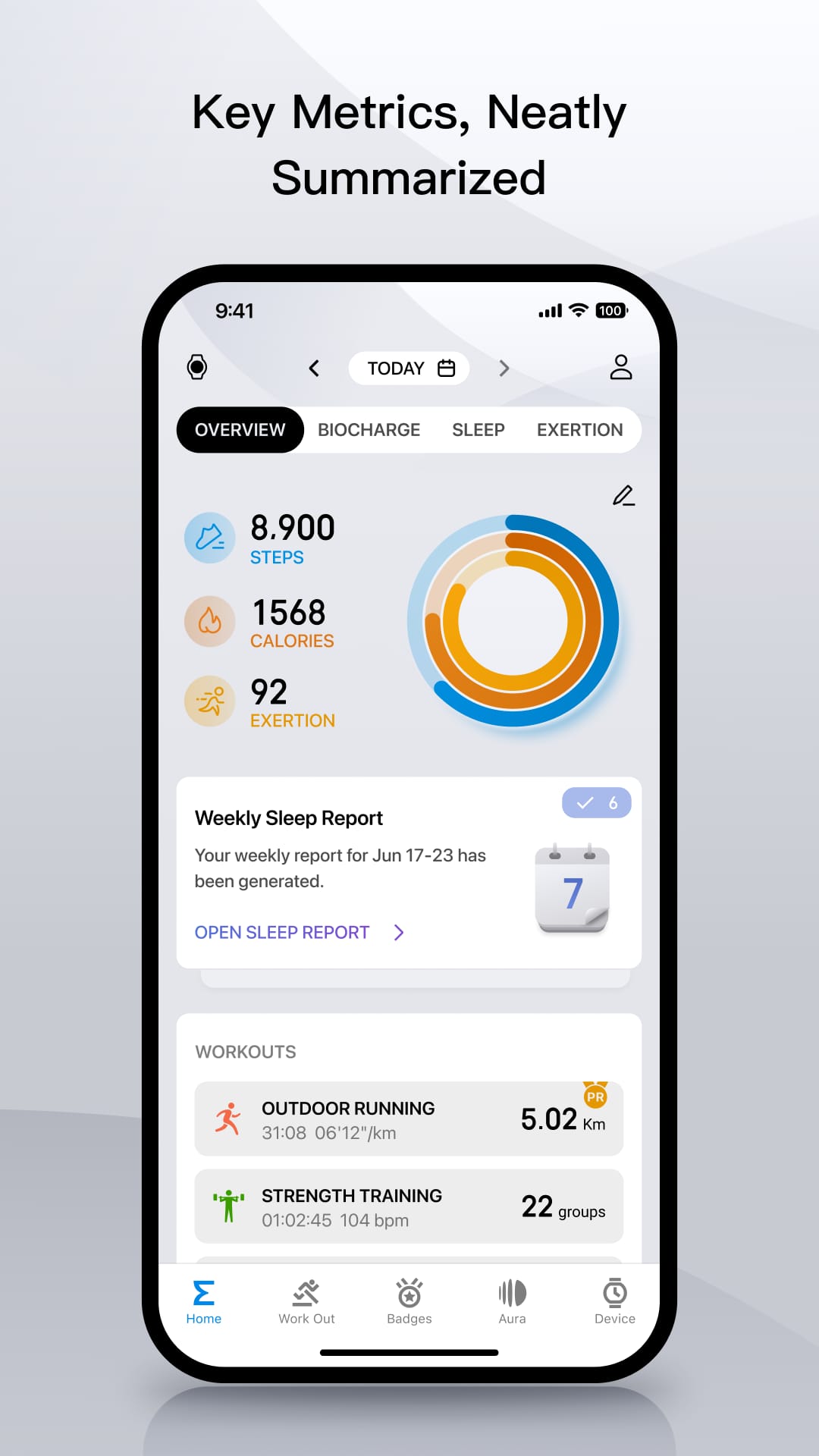
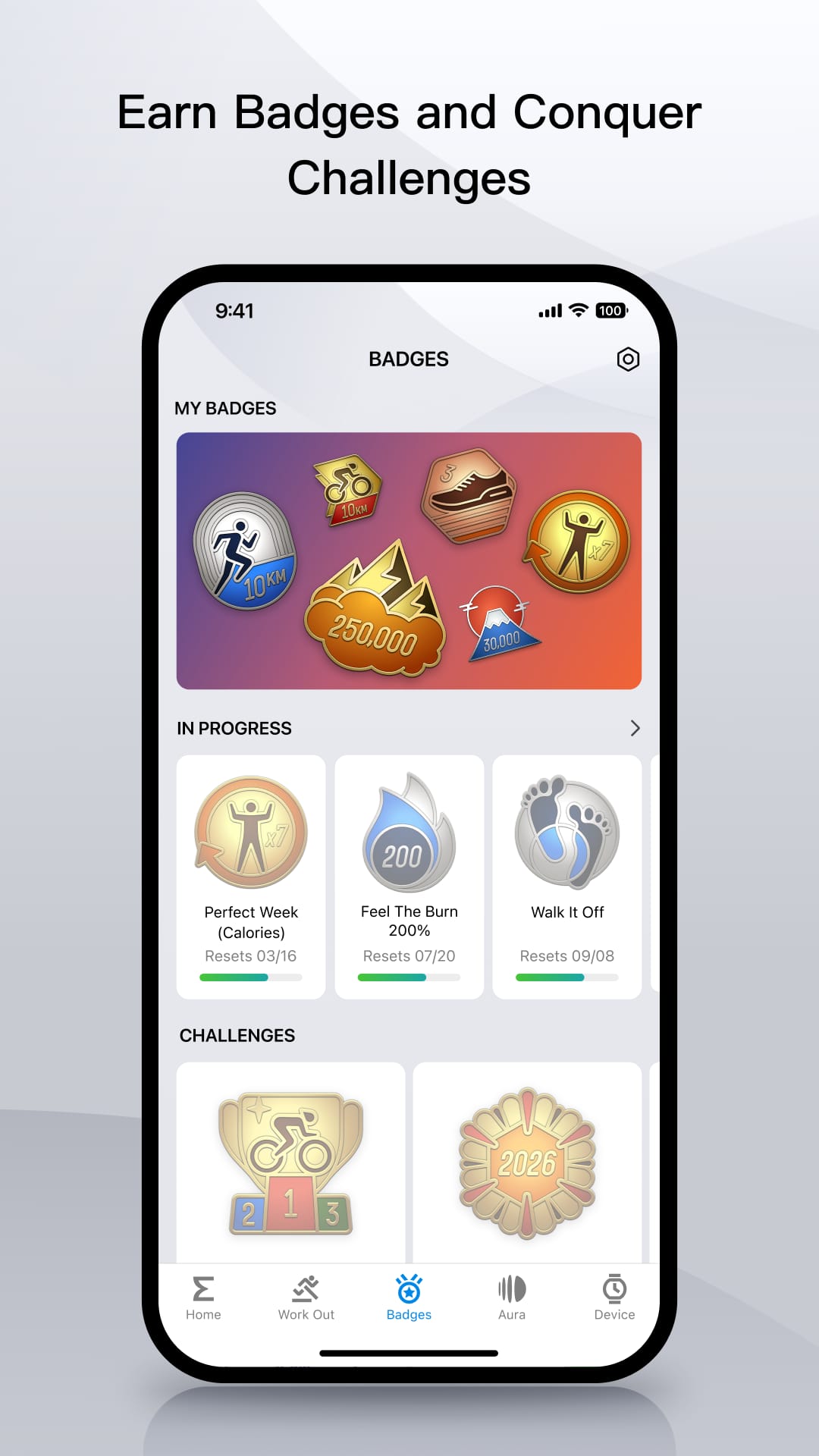
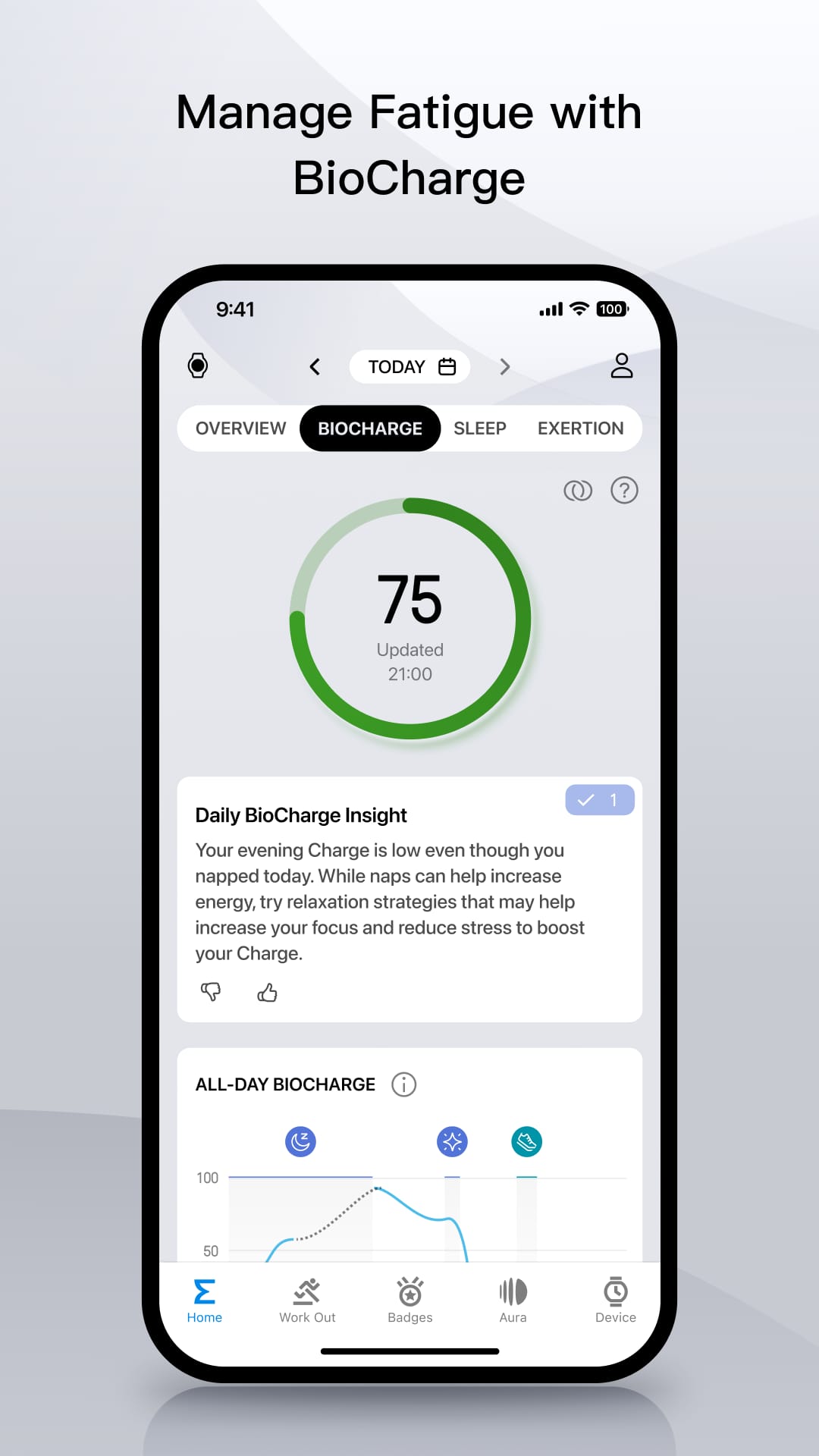
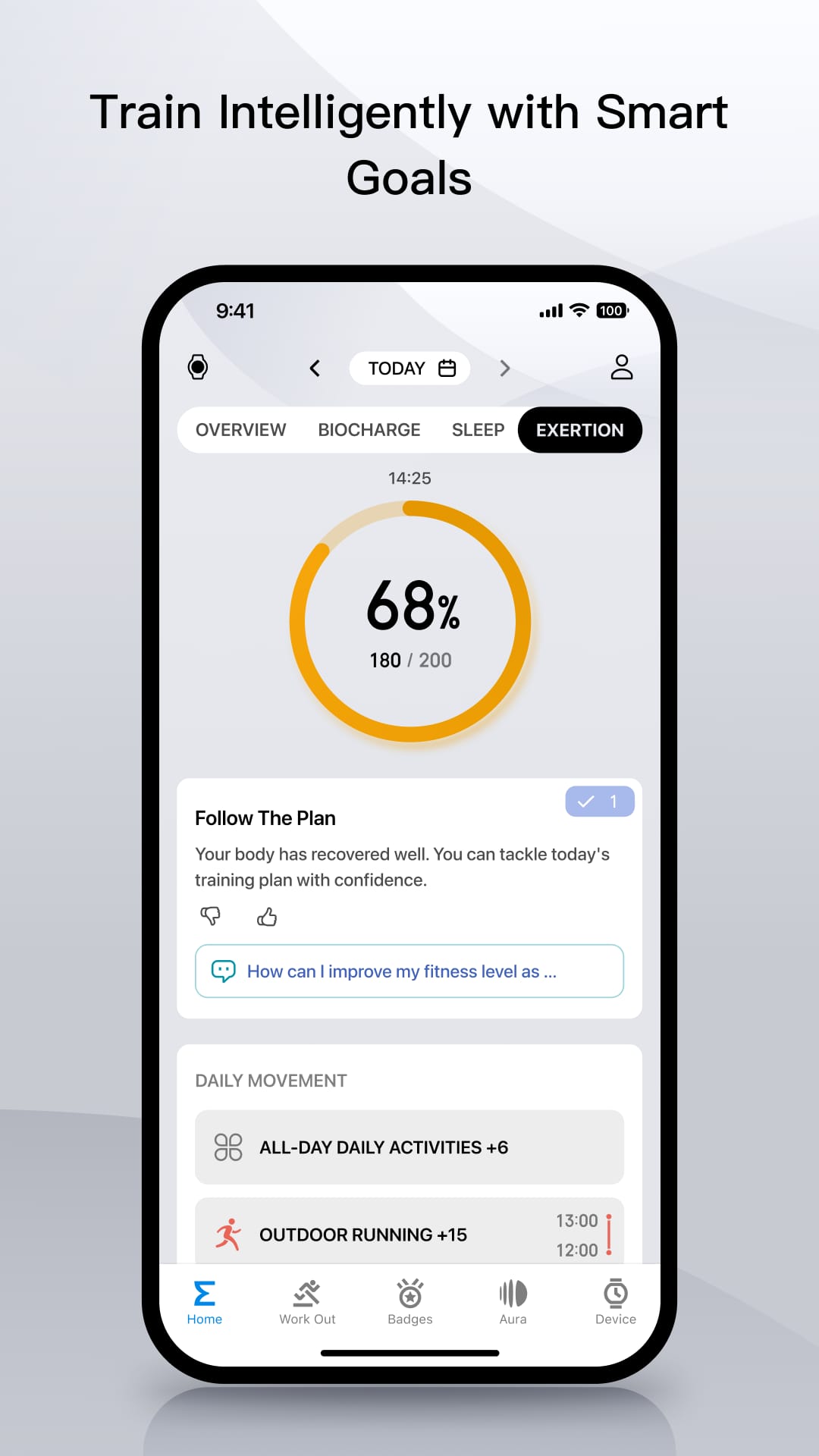
Zepp was developed for Amazfit devices that were being offered by Huami under the company Xiaomi. It supports various models from the Sport, Essential, and Advanced product lines.
Zepp isn't just an app; it's your personalized command center for health and fitness. This powerful app syncs seamlessly with all your Amazfit devices, transforming them into intelligent companions on your wellness journey. Forget juggling multiple apps – Zepp puts everything you need at your fingertips, empowering you to take control of your health, one step (or heart rate spike) at a time.
Unleash Your Inner Athlete: Train Smarter, Not Harder
Zepp turns your Amazfit smartwatch into a comprehensive training partner, helping you reach your fitness goals.
-
Track Like a Pro: Built-in GPS meticulously maps your runs, walks, and bike rides, while activity tracking monitors steps, distance, and calories burned. No movement goes unnoticed.
-
Multisport Mastery: From swimming and cycling to elliptical training and yoga, Zepp offers specialized modes to precisely track performance across various activities. Train smarter, not harder, with tailored insights.
-
Go Beyond Numbers with PAI: PAI (Personal Activity Intelligence) is your personalized fitness score, calculated by analyzing your heart rate and activity data. Zepp provides a holistic picture of your fitness level and motivates you to push your limits in a healthy way.
Beyond the Gym: Uncover Your Body's Potential
Zepp goes beyond the gym to provide a 24/7 health concierge on your wrist.
-
Sleep Like a Champion: Zepp analyzes your sleep stages (light, deep, and REM) and even monitors your nightly breathing patterns. Gain a deeper understanding of your sleep quality and identify areas for improvement to wake up feeling refreshed and energized.
-
Stay on Top of Your Heart Health: Continuous heart rate monitoring allows you to track resting heart rate, identify heart rate zones during workouts, and even receive alerts for abnormally high or low heart rates. Take charge of your cardiovascular health.
-
Stress Less, Live More: Zepp utilizes heart rate variability (HRV) to assess your stress levels. With personalized breathing exercises and relaxation techniques readily available, you can manage stress and find moments of calm throughout your busy day.
Data-Driven Decisions: Transform Insights into Action
Zepp doesn't just collect data – it empowers you to use it to your advantage.
-
Visualize Your Progress: All your health and fitness data is presented in clear, easy-to-understand dashboards. With a quick glance, you can monitor trends, analyze progress, and set personalized goals to stay on track.
-
Dive Deeper with Advanced Analytics: Delve into detailed sleep reports, heart rate graphs, and workout summaries. Identify patterns, set realistic goals based on your data, and celebrate your achievements.
-
Stay Motivated with Gamification: Earn badges and trophies for reaching milestones, and connect with friends to share progress and add a layer of friendly competition. Gamification keeps you engaged and motivated on your fitness journey.
Beyond Fitness: A Smarter, More Connected You
Zepp isn't just about physical health – it enhances your daily life.
-
Stay Connected on the Go: Receive and view call, text, and app notifications directly on your wrist. Never miss an important message, even during workouts.
-
Express Yourself with Watch Faces: Choose from a wide variety of stylish and functional watch faces to match your personality and activity. Personalize your Amazfit device and make a statement.
-
Unlock a World of Convenience: Control music playback, set alarms, and even find your lost phone – all from your smartwatch. Zepp streamlines your daily tasks and keeps you in control.
The Power of One: Manage All Your Amazfit Devices with Ease
Here's what truly sets Zepp apart:
-
One App for All: Forget juggling multiple apps for different Amazfit devices. Zepp functions as a central hub, allowing you to pair it with the company's popular and stylish GTR and GTS smartwatches to the more rugged and utilitarian T-Rex and Stratos line.
-
Simplified Setup: The intuitive interface makes pairing your Amazfit devices with Zepp a breeze. Get up and running quickly and seamlessly.
-
Unified Experience: Enjoy a consistent and user-friendly experience across all your Amazfit devices. Access all your health and fitness data, settings, and customizations within the Zepp app.
A Gentle Disclaimer
While Zepp offers amazing features, some users experience occasional connection issues that might interrupt notifications. This can interrupt functions like receiving app notifications and alerts on your smartwatch. Despite this, Zepp empowers you to manage your health and fitness journey effectively.
Zepp: Your Gateway to a Healthier You
Zepp isn't just an app; it's a commitment to a healthier, more fulfilling you. With its comprehensive suite of features, actionable insights, seamless smartwatch integration, and unified device management, Zepp empowers you to take control of your health and fitness journey. Download Zepp today and unlock the full potential of your Amazfit devices. Experience the future of health and fitness, all managed from the convenience.

 APK
APK




-
01How do I install this app after downloading it?
If you're an Android user and don't download the app from the official Google Play Store,you may find the installation process more complicated than usual.
But we are delighted to inform you that you don't need to worry. To ensure you could install this app smoothly,we have written and uploaded a detailed tutorial. It would guide you on installing an app after downloading it from our website step by step,with the help of pictures.
You may find this helpful article on the downloading site,or visit How to install APK/XAPK files on Android.
If you need further help,please do not hesitate to contact us via email [email protected].
-
02Is this app safe to use?
We fully understand your concern about safety. We agree that one person wouldn't be too careful in the cyber world. Meanwhile,we are happy to tell you that one of our priorities is to provide our users with safe app files that they can use without any worries.
We guarantee that all the app files we provided originate from official and reliable sources. We promise that they do not contain any malware that will harm your hardware or the safety of your privacy.
-
03Is this app free to download?
We are happy to inform you that the answer is an absolute YES! All the apps on our website are 100% free to download. Besides,you do not have to create an account. Just click on the download button,and it's done.
-
04How do I find my account back?
Recently we received a lot of emails from our users,which said they couldn't log in for different reasons,such as 'forgot the user name or password' or 'had a new phone.' We are willing to help you out. Please read the notes below to see what we can do.
To answer this question,please first let us know which account you're referring to.
If you're referring to your account of some app,like your Facebook account or your Youtube account. Unfortunately,we would not be able to help in this case. We would suggest you turn to the customer service of this application.
-
05How do I cancel subscriptions?
This question is essentially quite similar to the prior one. It's a pity that we are unable to help you to cancel the subscription to a third-party application directly,while we would suggest you to contact its customer service for further information.
-
06How do I get a refund?
Sorry that we are unable to help you to get a refund from a third-party application directly. If you wish to get a refund from a third-party app,we would suggest you to contact its customer service. We would be happy to provide you the way to contact them.
If you want a refund from us,we should apologize for your confusion. Our service is 100% free,and any payment information is not required.
If you run into any site that asks you to provide your payment information,be careful. Remember never reveal your payment information to any unauthorized third parties,no matter how attempting their offer may seem.
-
07How to use this app?
Sorry that we cannot answer this question directly,for this only aims to answer some general questions. You may find how to use a certain app by checking our review page.
1. appsresort.com does not represent any developer, nor is it the developer of any App or game.
2. appsresort.com provide custom reviews of Apps written by our own reviewers, and detailed information of these Apps, such as developer contacts, ratings and screenshots.
3. All trademarks, registered trademarks, product names and company names or logos appearing on the site are the property of their respective owners.
4. appsresort.com abides by the federal Digital Millennium Copyright Act (DMCA) by responding to notices of alleged infringement that complies with the DMCA and other applicable laws.
5.If you are the owner or copyright representative and want to delete your information, please contact us info@ appsresort.com .
6.All the information on this website is strictly observed all the terms and conditions of Google Ads Advertising policies and Google Unwanted Software policy.
7. appsresort.com is an independent, information-only website which is 100% free to all the users.