 APK
APK Google Play
 iOS
iOS 4.50
4.50About This App
-
Package Name
epic.mychart.android
-
Version Name
V10.8.3
-
Version Code
2987
-
File Size
52.47 MB
-
System
Android 9.0+ (Pie, API 28)
-
Update time
2023-01-01
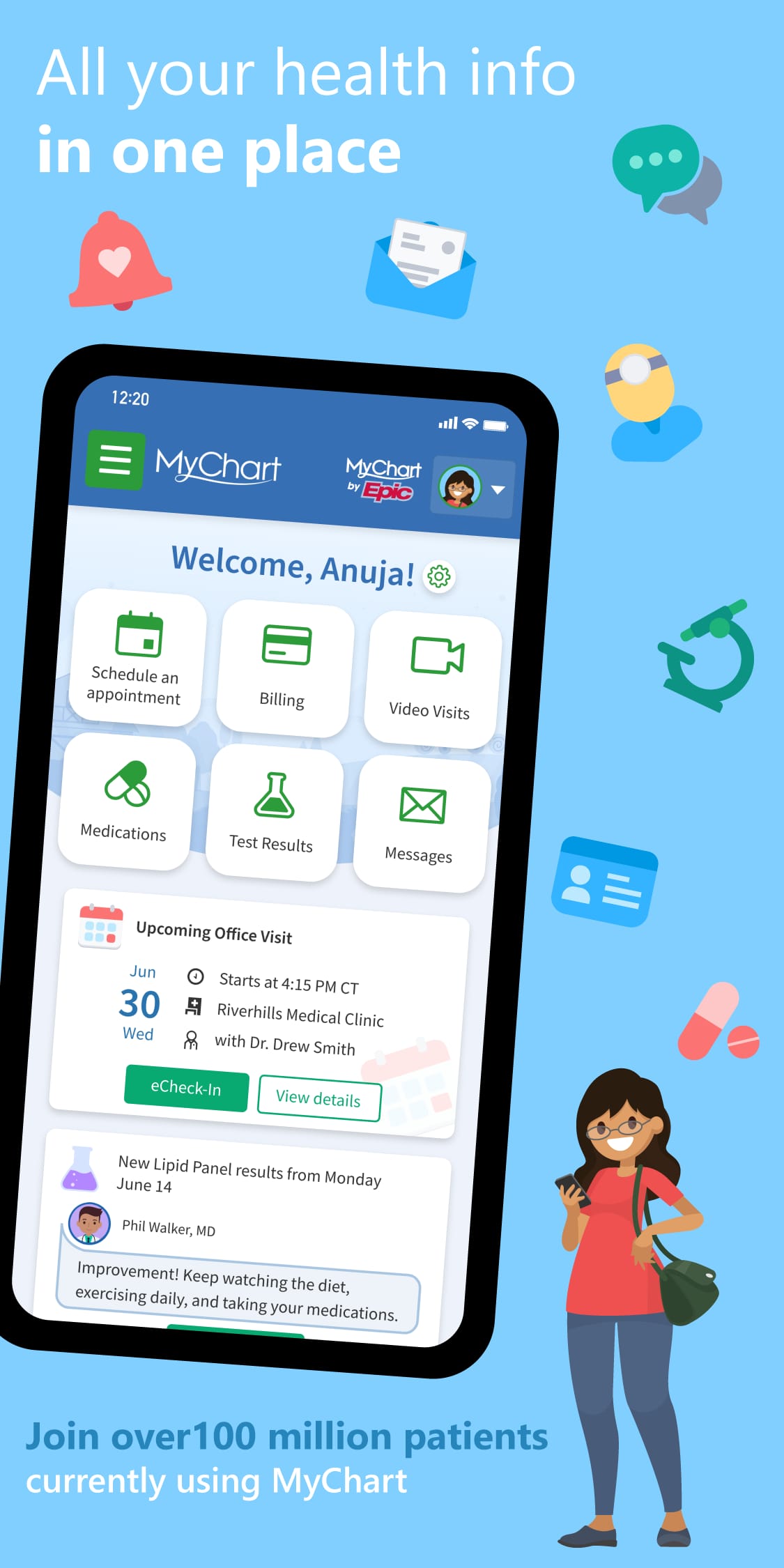
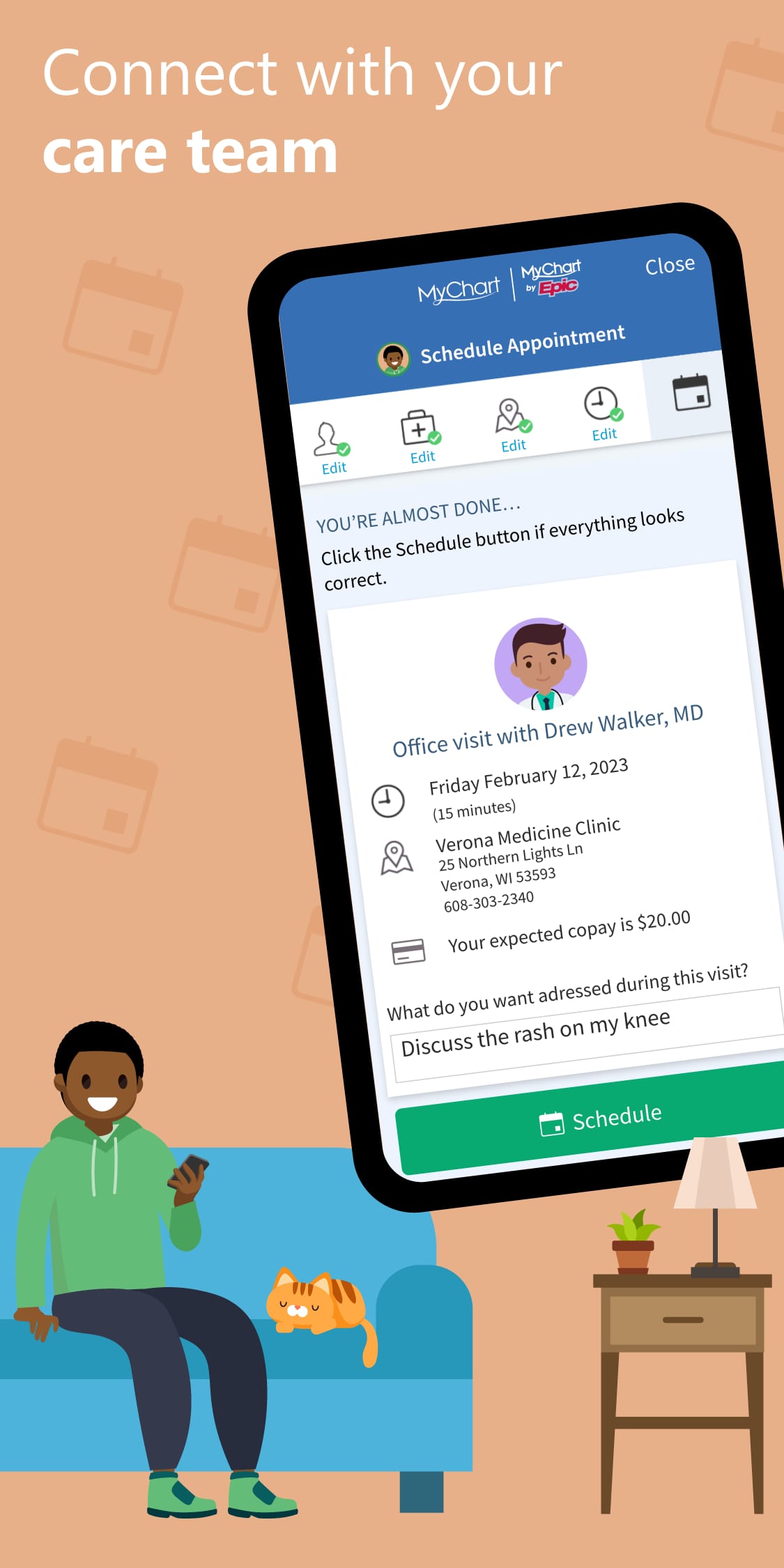
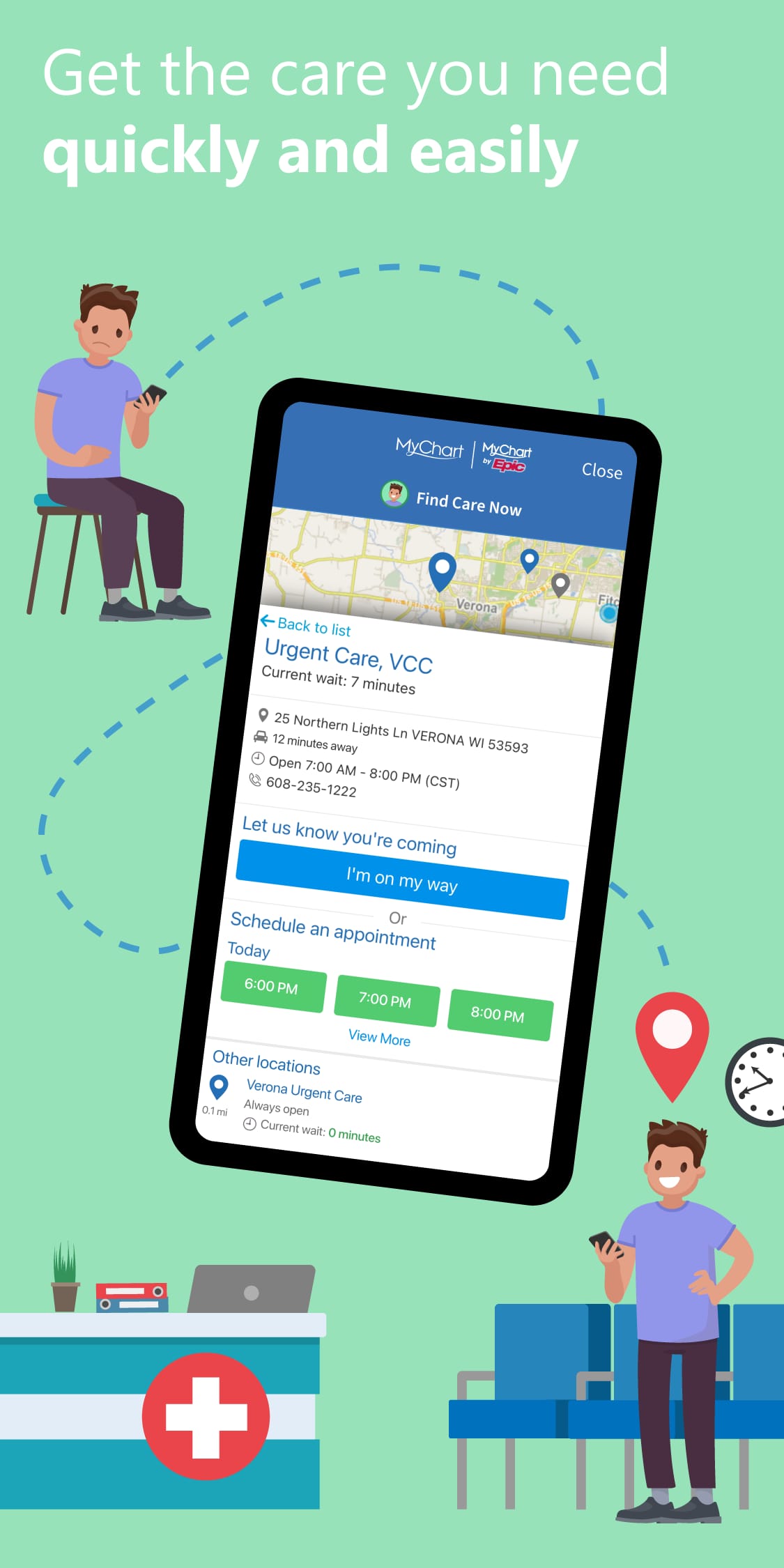
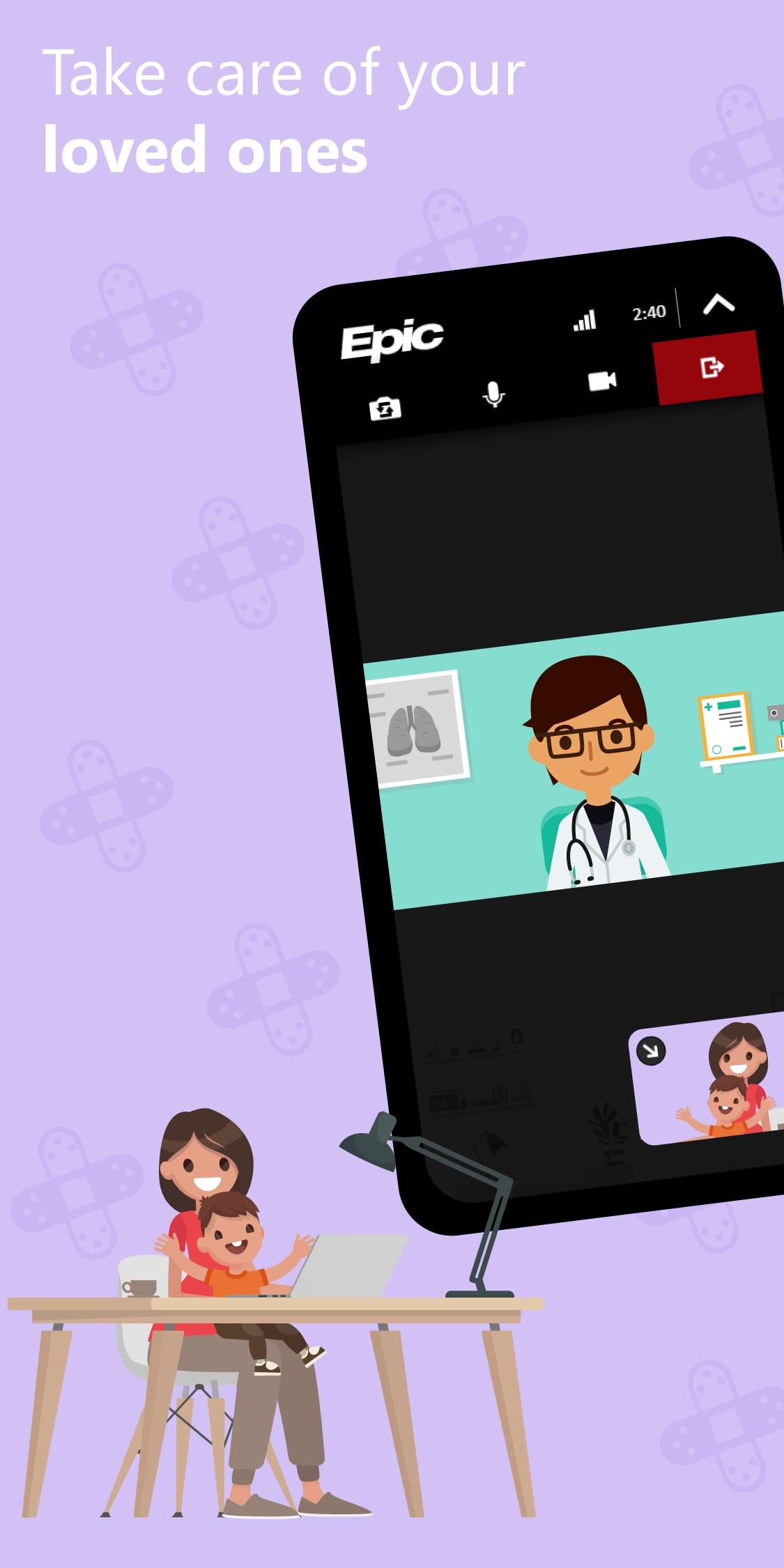
Brought to you by Epic, a leading healthcare software provider used by over 1,000 hospitals and clinics nationwide (as of 2023!), MyChart is your personal gateway to all things health-related. No more scrambling for lab results or forgetting appointment times – MyChart puts your health information at your fingertips, empowering you to take charge of your well-being!
What Can You Do with MyChart?
-
View Lab Results & Medical Records: Access your lab test results, medications, immunization history, and other health information securely within the app.
-
Schedule Appointments: Book appointments with your doctor, specialists, or other healthcare providers directly within MyChart, saving you time and phone calls.
-
Communicate with Your Care Team: Send secure messages to your doctor's office, ask questions about medications or test results, and clarify any concerns you might have.
-
Pay Medical Bills: View and pay your medical bills conveniently through the app, eliminating the hassle of paper statements and late fees.
-
Manage Your Health: Track your health data like weight and blood pressure (with compatible devices), potentially identify trends, and stay proactive about your well-being.
Other Useful Functions
-
Medication Refills: Request prescription refills directly within the app, ensuring you never run out of your essential medications.
-
Appointment Reminders: Receive push notifications and email reminders for upcoming appointments, so you never miss an important visit.
-
Proxy Access: Grant secure access to your MyChart information to a family member or caregiver, allowing them to assist with managing your healthcare if needed.
-
Track Vaccinations: Maintain a digital record of your vaccinations, ensuring you're always up-to-date on your immunizations.
Who Should Especially Use MyChart?
This app is a valuable tool for anyone who wants to:
-
Proactive Patients: Take an active role in managing your health and access your medical information anytime, anywhere.
-
Busy Individuals: Schedule appointments, request refills, and communicate with your doctor on the go, saving you precious time.
-
People with Chronic Conditions: Easily track your health data, manage medications, and stay connected with your care team.
-
Parents & Caregivers: Monitor your child's health information, schedule appointments, and communicate with their pediatrician, all within one app.
-
Those Concerned About Privacy: MyChart prioritizes data security with secure logins and encryption to keep your health information confidential.
Examples of How to Utilize MyChart
-
Just received a notification for your upcoming blood test results? Log in to MyChart to access your results and see if any follow-up is needed.
-
Need to schedule a physical checkup but can't remember the clinic's phone number? Open MyChart and book an appointment with your doctor in just a few clicks.
-
Running low on your blood pressure medication? Request a refill directly through MyChart, ensuring a seamless and timely process.
-
Have a question about a new prescription? Send a secure message to your doctor's office through MyChart for clarification.
Pros & Cons Compared to Similar Apps
Pros:
-
Widespread Hospital & Clinic Integration: Compatible with a vast network of healthcare providers nationwide, increasing the chance your health system uses MyChart.
-
Secure & Encrypted Data: Enjoy peace of mind knowing your health information is protected with robust security measures.
-
Comprehensive Features: From appointment scheduling to medication management, MyChart offers a one-stop shop for your healthcare needs.
-
User-Friendly Interface: Navigate the app with ease and find the information you need intuitively.
-
Communication with Care Team: Communicate directly with your doctor's office through secure messaging, fostering better care coordination.
Cons:
-
Limited Availability (check with provider): Not all hospitals and clinics might utilize MyChart.
-
Potential Learning Curve: While user-friendly, there might be a slight learning curve for those unfamiliar with similar apps.
-
Proxy Access Management: Granting proxy access requires careful consideration and trust in the designated individual.
Latest Updates & More to Expect
AI-powered Insights: Expect the app to integrate AI features suggesting personalized health tips and reminders based on your medical history.
Telehealth Integration: Future updates might allow for virtual consultations with doctors directly within MyChart, increasing access to care.
Wearable Device Integration: The app might connect with wearable devices to seamlessly import health data like heart rate and sleep patterns.
FAQ
-
Is the app free? Yes, downloading and using MyChart is completely free. However, some healthcare providers might charge fees for certain services like appointment booking accessed through the app.
-
Is my information secure? MyChart prioritizes user data security with industry-standard encryption and secure login protocols.
-
How do I get started? Check with your healthcare provider to see if they utilize MyChart. If so, they will provide you with instructions for registering and logging in to the app.
Why Choose MyChart?
MyChart is more than just a healthcare app; it's a tool for empowerment. By putting your health information at your fingertips and facilitating communication with your care team, MyChart allows you to take an active role in managing your well-being. Download MyChart today and unlock a world of convenience, control, and proactive healthcare management – all from the comfort of your smartphone! Remember, knowledge is power, and with MyChart, you'll be well on your way to becoming your own healthcare hero. So, what are you waiting for? Download MyChart and #EmpowerYourHealth!

 APK
APK





-
01How do I install this app after downloading it?
If you're an Android user and don't download the app from the official Google Play Store,you may find the installation process more complicated than usual.
But we are delighted to inform you that you don't need to worry. To ensure you could install this app smoothly,we have written and uploaded a detailed tutorial. It would guide you on installing an app after downloading it from our website step by step,with the help of pictures.
You may find this helpful article on the downloading site,or visit How to install APK/XAPK files on Android.
If you need further help,please do not hesitate to contact us via email [email protected].
-
02Is this app safe to use?
We fully understand your concern about safety. We agree that one person wouldn't be too careful in the cyber world. Meanwhile,we are happy to tell you that one of our priorities is to provide our users with safe app files that they can use without any worries.
We guarantee that all the app files we provided originate from official and reliable sources. We promise that they do not contain any malware that will harm your hardware or the safety of your privacy.
-
03Is this app free to download?
We are happy to inform you that the answer is an absolute YES! All the apps on our website are 100% free to download. Besides,you do not have to create an account. Just click on the download button,and it's done.
-
04How do I find my account back?
Recently we received a lot of emails from our users,which said they couldn't log in for different reasons,such as 'forgot the user name or password' or 'had a new phone.' We are willing to help you out. Please read the notes below to see what we can do.
To answer this question,please first let us know which account you're referring to.
If you're referring to your account of some app,like your Facebook account or your Youtube account. Unfortunately,we would not be able to help in this case. We would suggest you turn to the customer service of this application.
-
05How do I cancel subscriptions?
This question is essentially quite similar to the prior one. It's a pity that we are unable to help you to cancel the subscription to a third-party application directly,while we would suggest you to contact its customer service for further information.
-
06How do I get a refund?
Sorry that we are unable to help you to get a refund from a third-party application directly. If you wish to get a refund from a third-party app,we would suggest you to contact its customer service. We would be happy to provide you the way to contact them.
If you want a refund from us,we should apologize for your confusion. Our service is 100% free,and any payment information is not required.
If you run into any site that asks you to provide your payment information,be careful. Remember never reveal your payment information to any unauthorized third parties,no matter how attempting their offer may seem.
-
07How to use this app?
Sorry that we cannot answer this question directly,for this only aims to answer some general questions. You may find how to use a certain app by checking our review page.
1. appsresort.com does not represent any developer, nor is it the developer of any App or game.
2. appsresort.com provide custom reviews of Apps written by our own reviewers, and detailed information of these Apps, such as developer contacts, ratings and screenshots.
3. All trademarks, registered trademarks, product names and company names or logos appearing on the site are the property of their respective owners.
4. appsresort.com abides by the federal Digital Millennium Copyright Act (DMCA) by responding to notices of alleged infringement that complies with the DMCA and other applicable laws.
5.If you are the owner or copyright representative and want to delete your information, please contact us info@ appsresort.com .
6.All the information on this website is strictly observed all the terms and conditions of Google Ads Advertising policies and Google Unwanted Software policy.
7. appsresort.com is an independent, information-only website which is 100% free to all the users.