
Open Menu
Home
Apps
Games
Articles
Additional Information
Version
V4.10.24.537170154
Tag
contacts | syncing | contact
Rate
4.3
Reviews
28602
Installs
1,000,000,000+
Developer
Google LLC
Content Rating
Everyone
Back up your contacts & access them anywhere
About This App
  • Package Name

    com.google.android.contacts

  • Version Name

    V4.10.24.537170154

  • Version Code

    3032207

  • File Size

    16.8 MB

  • System

    Android 8.0+ (Oreo, API 26)

  • Update time

    2023-01-01

Screenshots
screenshot screenshot screenshot screenshot
Author's Review
Apkseeker Review
Managing numerous contact lists across various devices and platforms can quickly become overwhelming. Google Contacts offers a free solution for consolidating and organizing all your contacts in one place. But is it the ideal tool for your requirements? Let's explore its primary features and determine if Google Contacts is a valuable addition to your contact management toolkit.
Streamlined Contact Management: Organize Your Address Book with Ease
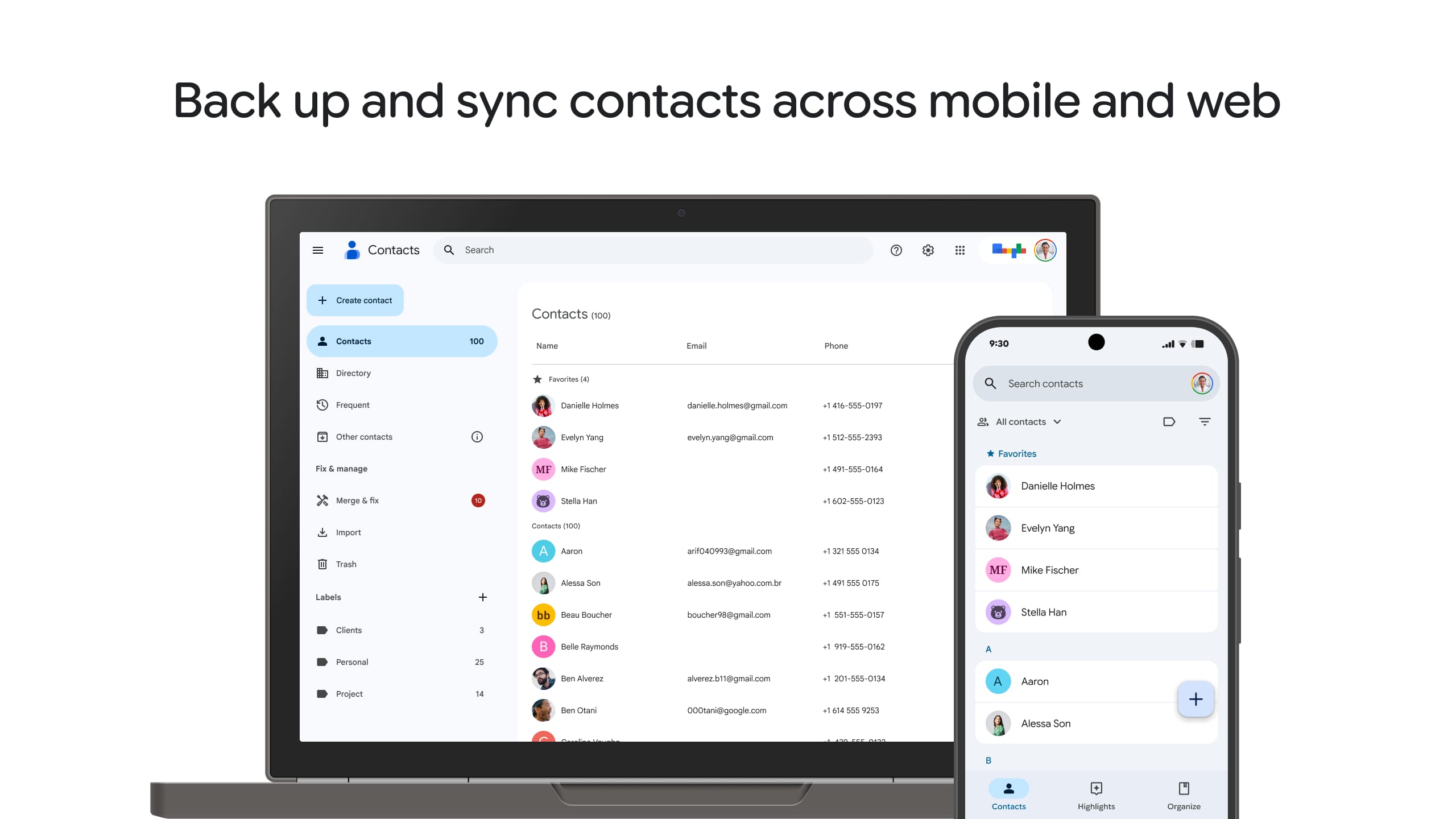
Google Contacts simplifies the management of your contact details in several ways. Firstly, it offers Centralized Storage, allowing you to keep all your contacts in a single location that is accessible from any internet-connected device. This eliminates the concern of losing or having outdated contact information spread across various gadgets. Secondly, the platform provides Smart Contact Management, enabling you to effortlessly add, modify, and remove contacts. You can categorize contacts into groups such as family, colleagues, and acquaintances to enhance organization and streamline searches. Thirdly, Google Contacts includes an Automatic Merge & Dedupe feature that detects and combines duplicate entries, ensuring your contact list remains tidy and up-to-date. Additionally, the Multiple Labels function allows you to group multiple contacts into accounts, facilitating easier group messaging or emailing. However, adding contacts individually in tabs can be cumbersome. While many smartphones include default contact applications, Google Contacts stands out with its advanced organizational tools, including automatic merging and group creation capabilities.
Effortless Connectivity: Integrating with Google Services
Google Contacts offers seamless integration with various Google services, enhancing communication efficiency. Firstly, contact synchronization occurs effortlessly across all your devices, including smartphones, tablets, and computers, ensuring you have up-to-date information at all times. Secondly, the integration with Google's cloud services allows for direct access to contact details from applications like Gmail, simplifying the process of responding to emails or starting new conversations. Thirdly, Google Assistant compatibility enables voice-activated control, letting you add contacts, search your address book, or make calls without lifting a finger. While some competing applications may provide limited interoperability, Google Contacts' robust connection with the larger Google ecosystem makes it an ideal choice for those who depend extensively on Google's suite of products.
Intuitive and Streamlined Interface Design
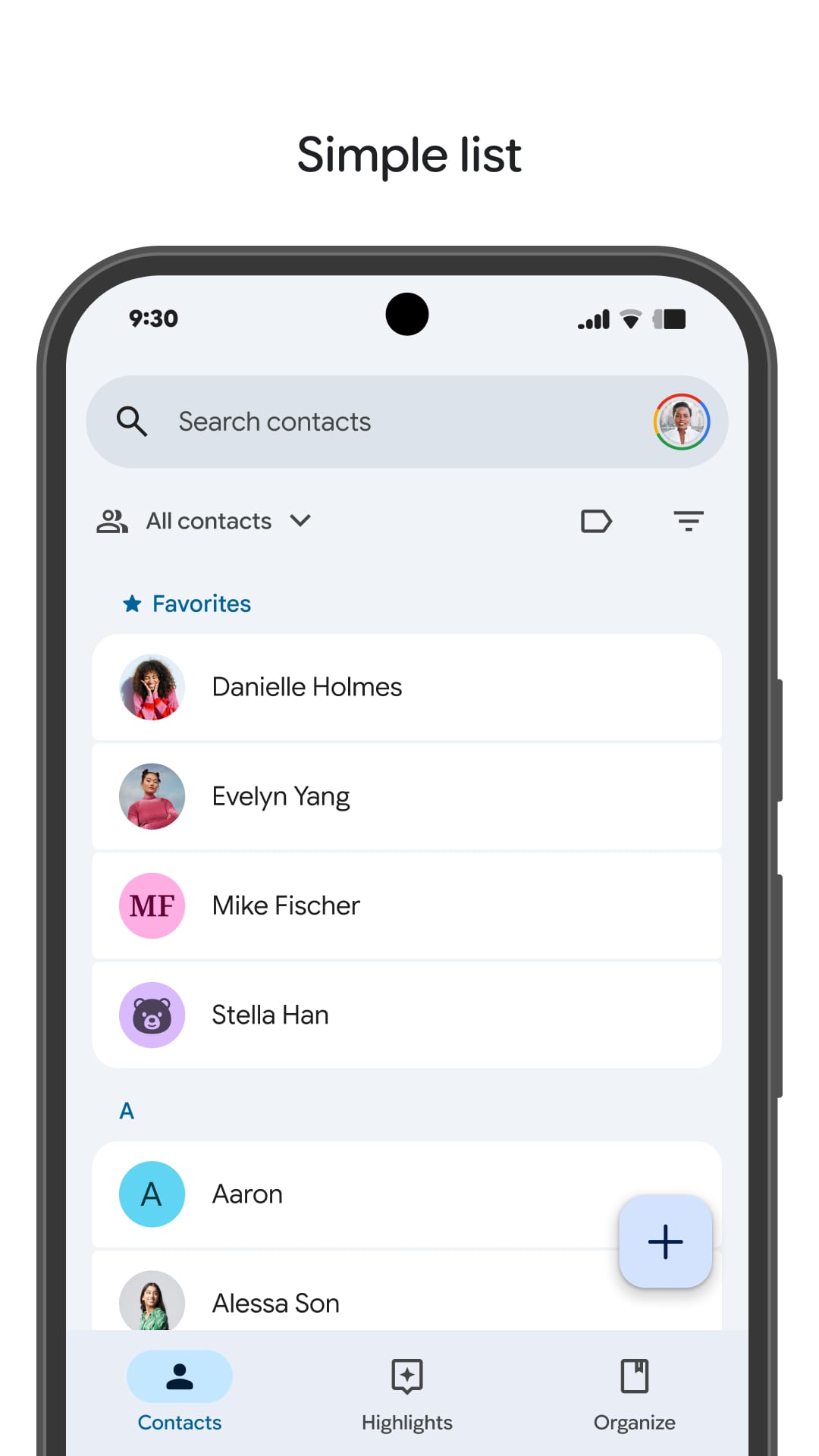
One, Minimalist Design: The primary interface showcases your contacts in an uncomplicated list arrangement, characterized by its clean and straightforward presentation. Two, Effective Search Capability: The integrated search feature facilitates quick location of contacts through various parameters such as name, email, or even terms found within notes and custom tags. Three, Flexibility in Personalization: Although the foundational layout is basic, Google Contacts does offer some personalization features. Users have the option to select their preferred sorting method for contacts, whether by name or organization, and can modify the display density setting to either compact or comfortable, according to individual preference.
Factors to Keep in Mind
When considering Google Contacts, it is important to be aware of certain constraints. Firstly, there is a storage cap: although Google Contacts provides a substantial free storage allowance (commonly up to 25,000 contacts), individuals with large contact databases may eventually exceed this threshold. For enhanced storage, Google One offers premium subscription options. Secondly, the editing capabilities for contacts are somewhat restricted. Unlike specialized contact management tools, Google Contacts only supports fundamental details such as names, email addresses, and phone numbers.
What Are the Reasons to Save Google Contacts?
Revolutionize Your Contact Management with Google Contacts
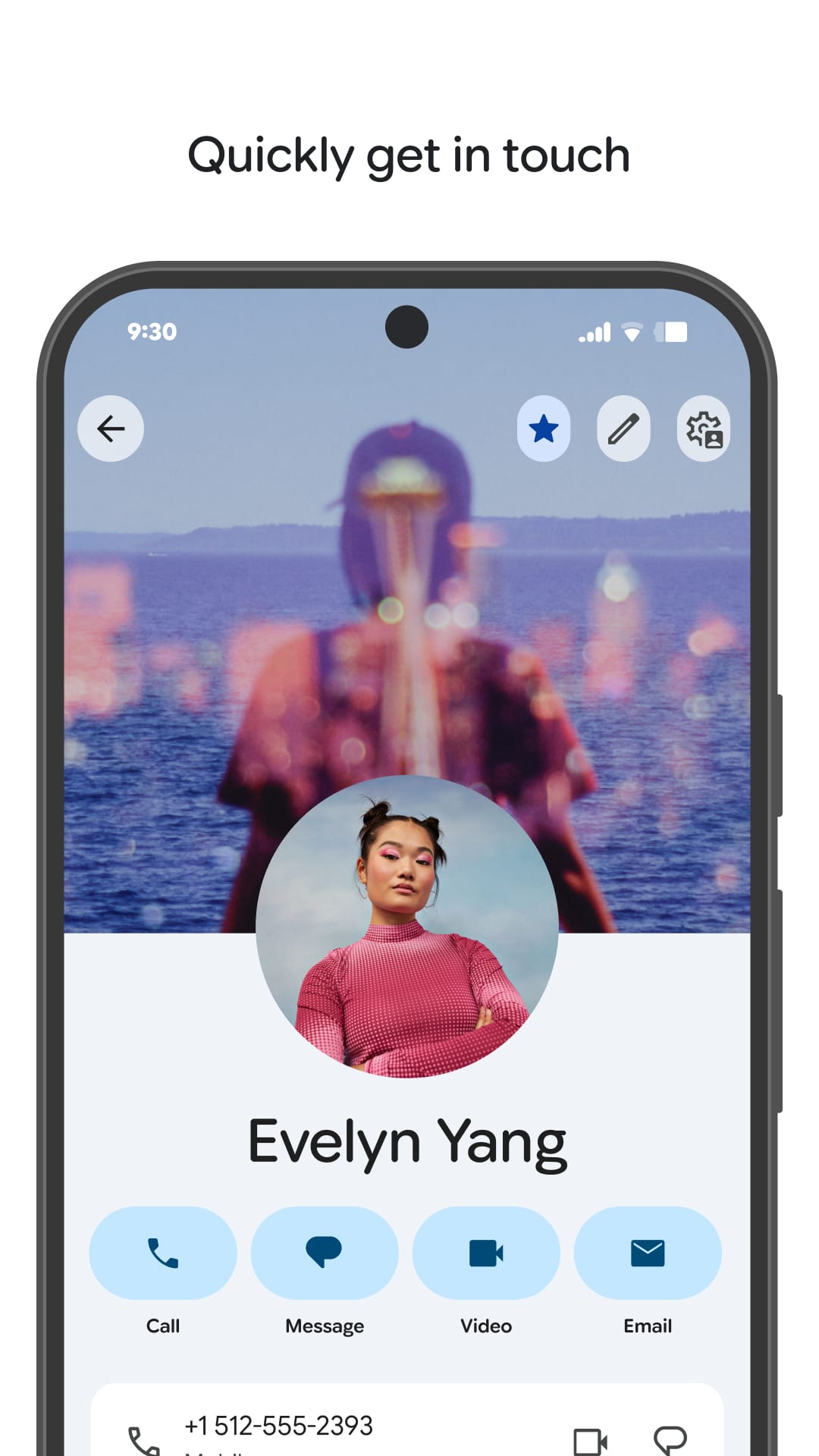
Tired of disorganized contact lists? Discover the advantages of Google Contacts and transform your address book into a well-organized hub. First, enjoy seamless contact management by consolidating your contacts, removing duplicates, and categorizing them for quick access. Second, benefit from effortless integration with other Google services, ensuring a streamlined communication experience. Third, enhance your contacts with detailed profiles that include photos, personal notes, and custom fields, going beyond just phone numbers. Embrace a smarter way to manage your contacts and harness the full potential of Google's integrated services. Download Google Contacts today and enjoy a more efficient and interconnected communication experience.
Collpase
Download
Previous APK Versions
ZIP files containing Android App Bundles require a Split APKs Installer (e.g., SAI) from Google Play to install. Steps: 1.Download SAI from Google Play;2.Open SAI and tap "Install APKs";3.Locate and select your downloaded ZIP file;4.Grant the "Install Unknown Apps" permission if prompted;5.Wait for the process to complete.
V4.10.24.537170154
APK
Package Name
com.google.android.contacts
Version Name
V4.10.24.537170154
Version Code
3032207
File Size
16.8 MB
Update time
2023-01-01
You Might Like
  • 01
    How do I install this app after downloading it?

    If you're an Android user and don't download the app from the official Google Play Store,you may find the installation process more complicated than usual.

    But we are delighted to inform you that you don't need to worry. To ensure you could install this app smoothly,we have written and uploaded a detailed tutorial. It would guide you on installing an app after downloading it from our website step by step,with the help of pictures.

    You may find this helpful article on the downloading site,or visit How to install APK/XAPK files on Android.

    If you need further help,please do not hesitate to contact us via email [email protected].

  • 02
    Is this app safe to use?

    We fully understand your concern about safety. We agree that one person wouldn't be too careful in the cyber world. Meanwhile,we are happy to tell you that one of our priorities is to provide our users with safe app files that they can use without any worries.

    We guarantee that all the app files we provided originate from official and reliable sources. We promise that they do not contain any malware that will harm your hardware or the safety of your privacy.

  • 03
    Is this app free to download?

    We are happy to inform you that the answer is an absolute YES! All the apps on our website are 100% free to download. Besides,you do not have to create an account. Just click on the download button,and it's done.

  • 04
    How do I find my account back?

    Recently we received a lot of emails from our users,which said they couldn't log in for different reasons,such as 'forgot the user name or password' or 'had a new phone.' We are willing to help you out. Please read the notes below to see what we can do.

    To answer this question,please first let us know which account you're referring to.

    If you're referring to your account of some app,like your Facebook account or your Youtube account. Unfortunately,we would not be able to help in this case. We would suggest you turn to the customer service of this application.

  • 05
    How do I cancel subscriptions?

    This question is essentially quite similar to the prior one. It's a pity that we are unable to help you to cancel the subscription to a third-party application directly,while we would suggest you to contact its customer service for further information.

  • 06
    How do I get a refund?

    Sorry that we are unable to help you to get a refund from a third-party application directly. If you wish to get a refund from a third-party app,we would suggest you to contact its customer service. We would be happy to provide you the way to contact them.

    If you want a refund from us,we should apologize for your confusion. Our service is 100% free,and any payment information is not required.

    If you run into any site that asks you to provide your payment information,be careful. Remember never reveal your payment information to any unauthorized third parties,no matter how attempting their offer may seem.

  • 07
    How to use this app?

    Sorry that we cannot answer this question directly,for this only aims to answer some general questions. You may find how to use a certain app by checking our review page.